# SSL Let's Encrypt - instalare / reinoire

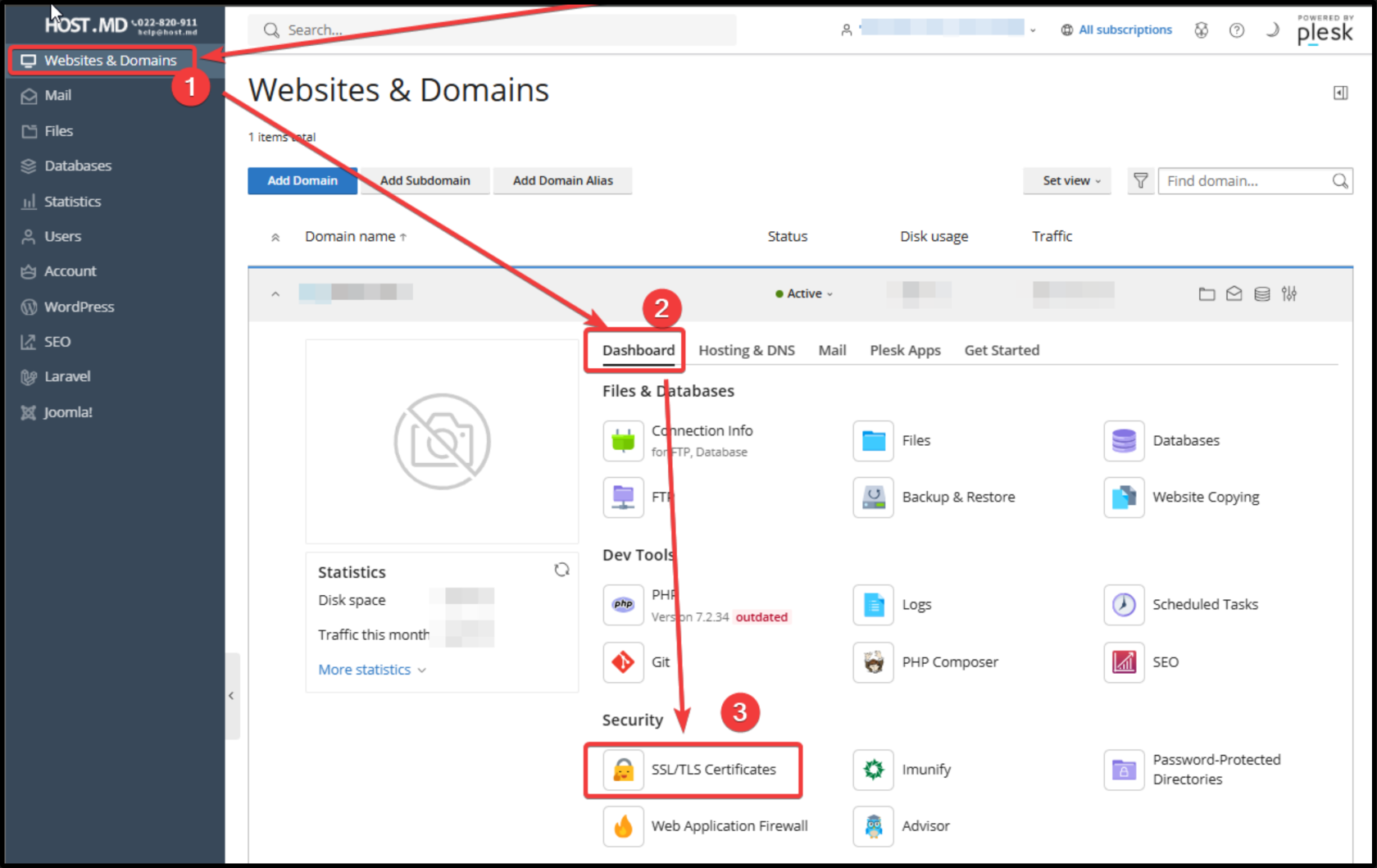
##### <span style="color: rgb(51, 51, 51); background-color: rgb(255, 255, 255);">1 - Accesați modulul „</span>**SSL/TLS Certificates**<span style="color: rgb(51, 51, 51); background-color: rgb(255, 255, 255);">”</span>

[![image.png](https://kb.host.md/uploads/images/gallery/2026-09/scaled-1680-/BKeWXLBY547RD2T8-image.png)](https://kb.host.md/uploads/images/gallery/2026-09/BKeWXLBY547RD2T8-image.png)

---

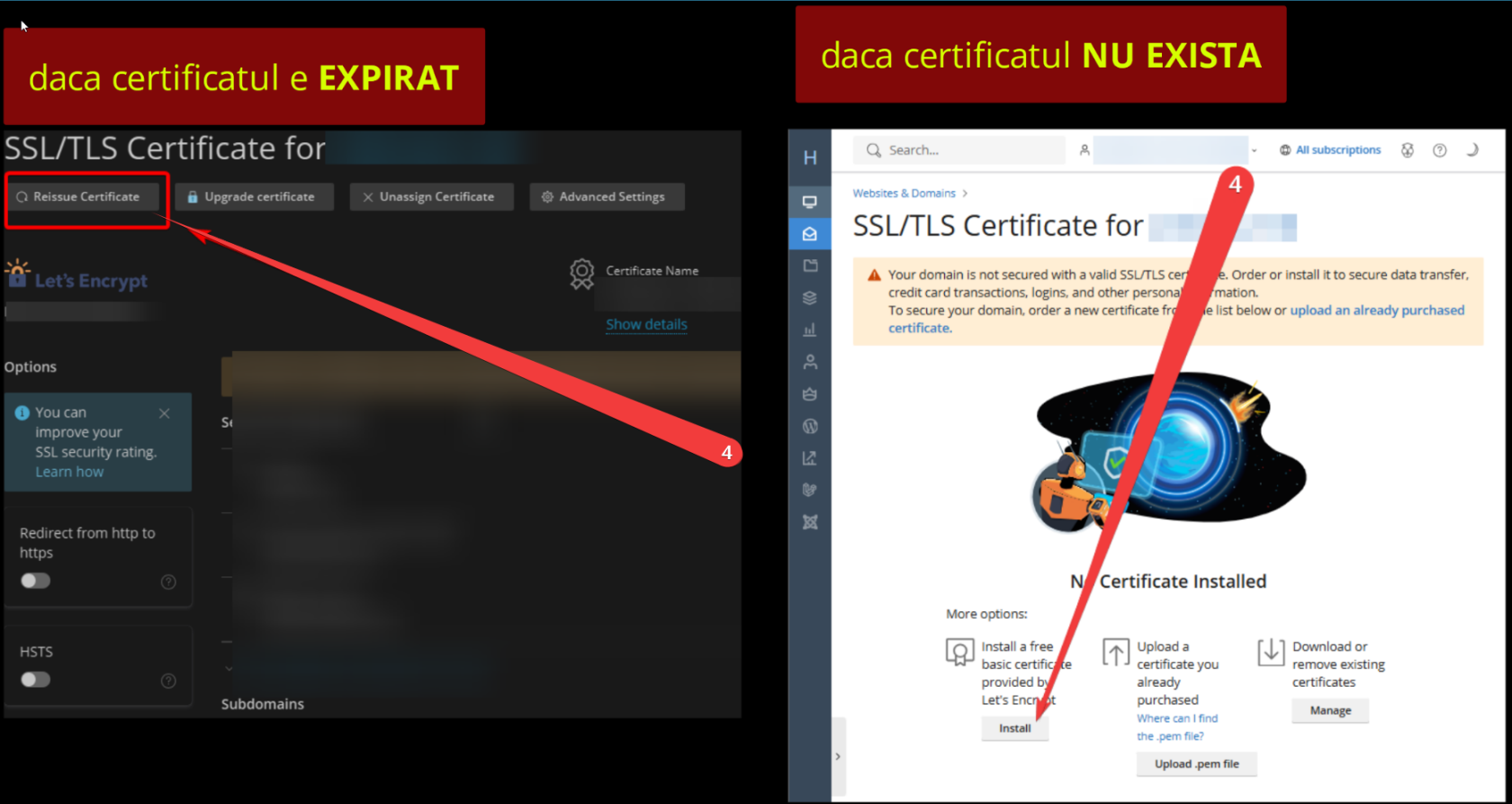
##### <span style="color: rgb(51, 51, 51); background-color: rgb(255, 255, 255);">2 - Dați clic pe butonul „</span>**Reissue Certificate**<span style="color: rgb(51, 51, 51); background-color: rgb(255, 255, 255);">” ( sau puteti avea doar 'Install' daca nu mai sunt certificate instalate )</span>

[![image.png](https://kb.host.md/uploads/images/gallery/2026-09/scaled-1680-/h67uRVksfpTCsgW0-image.png)](https://kb.host.md/uploads/images/gallery/2026-09/h67uRVksfpTCsgW0-image.png)

---

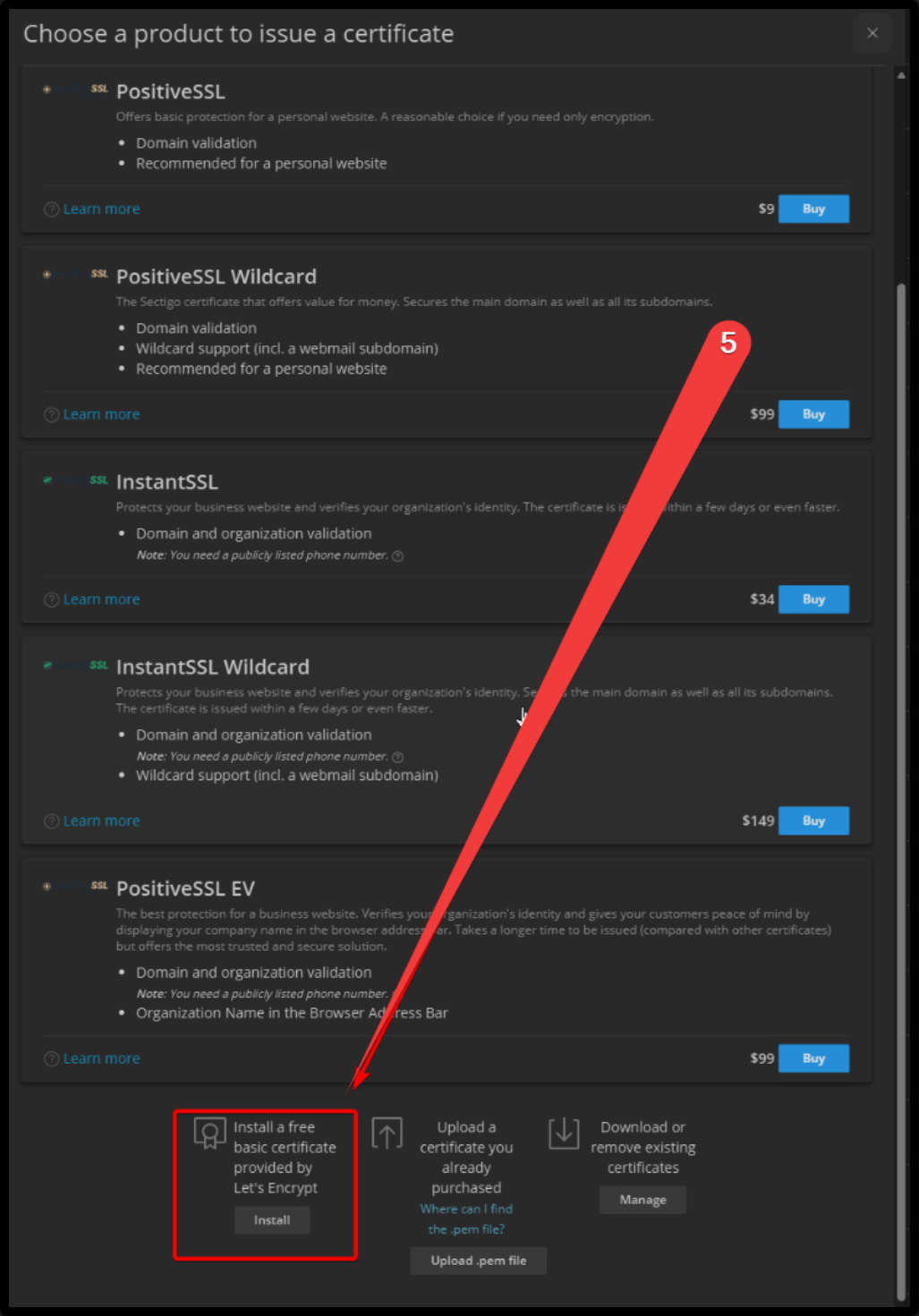
##### 3 - <span style="color: rgb(51, 51, 51); background-color: rgb(255, 255, 255);">Alegeți opțiunea „</span>**-** ***Install*** **- a free basic certificate provided by Let's Encrypt**<span style="color: rgb(51, 51, 51); background-color: rgb(255, 255, 255);">” din partea de jos a meniului apărut</span>

[![ydNyFgtUT05iqja0-ov27m994dubndy3r-image.png](https://kb.host.md/uploads/images/gallery/2026-09/scaled-1680-/JNEIpwMUy0QQtN8a-ydnyfgtut05iqja0-ov27m994dubndy3r-image.png)](https://kb.host.md/uploads/images/gallery/2026-09/JNEIpwMUy0QQtN8a-ydnyfgtut05iqja0-ov27m994dubndy3r-image.png)

---

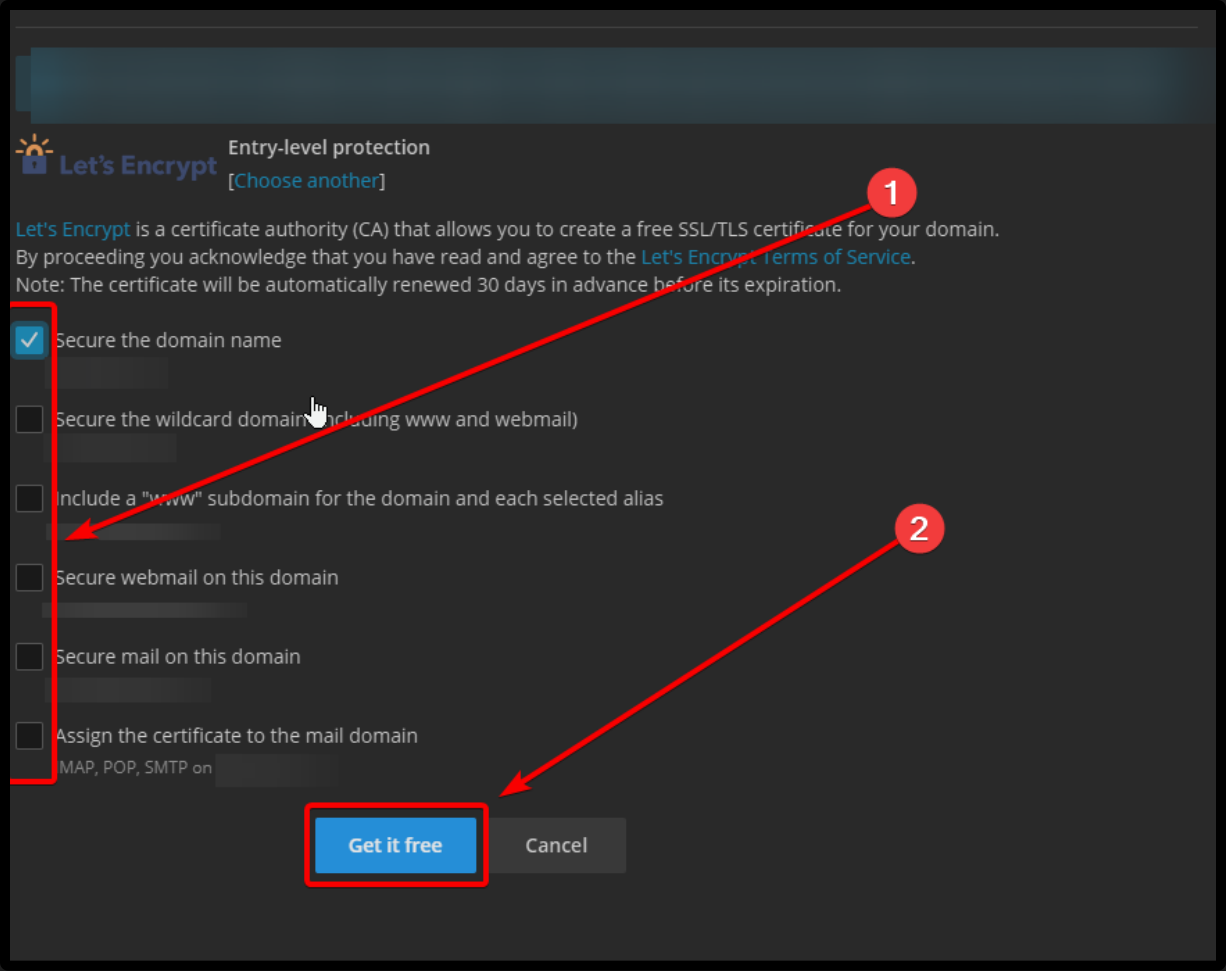
##### 4 - <span style="color: rgb(51, 51, 51); background-color: rgb(255, 255, 255);">Configurați opțiunile necesare și apăsați butonul „</span>**Get it free**<span style="color: rgb(51, 51, 51); background-color: rgb(255, 255, 255);">”</span>

[![image.png](https://kb.host.md/uploads/images/gallery/2026-09/scaled-1680-/tzeqCEIzBjd8fLgK-image.png)](https://kb.host.md/uploads/images/gallery/2026-09/tzeqCEIzBjd8fLgK-image.png)

---

---

---